

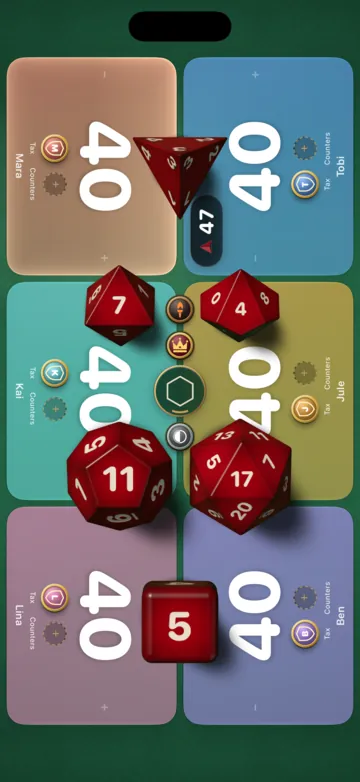
Real 3D dice that roll across the felt
Throw a D4, D6, D8, D10, D12, D20 or percentile dice, up to six at once, and they tumble across the table with sound and haptics. There are nine sets, from garnet and obsidian to brass, or the colour of the seat that throws. Who goes first is a roll from the table menu.
A natural 20 turns the result gold.

- Garnet
- Ivory
- Obsidian
- Jade
- Sapphire
- Amethyst
- Brass
- Pearl
- Seat colour
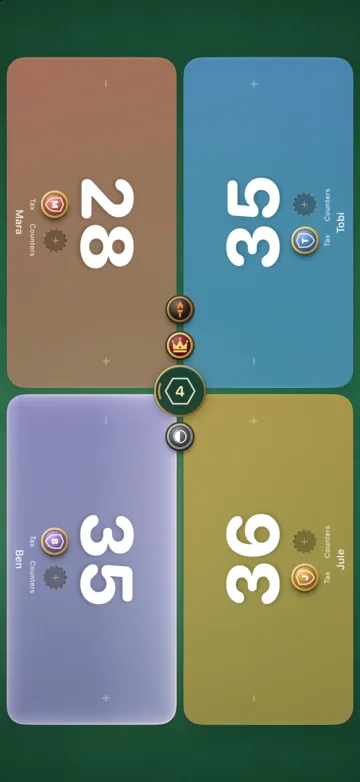
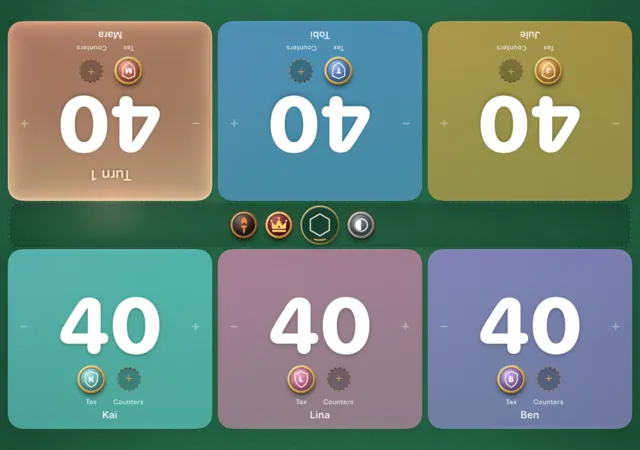
Up to six players around one phone
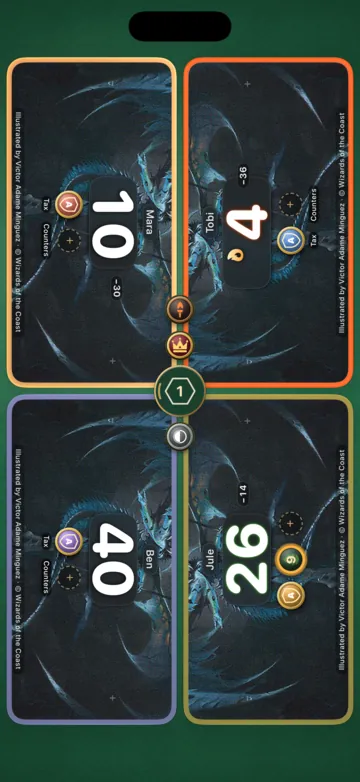
With one to six players, or two teams in Two-Headed Giant, each area turns to the person sitting there, so nobody reads their life upside down. A warm lamp lights the seat whose turn it is. Tap to count, or type the number on the keypad.
The lamp moves on when you pass the turn.
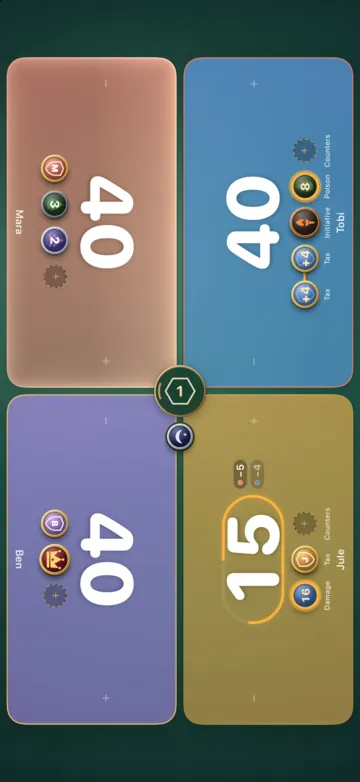
Commander damage by drag, per commander
Every player has a commander coin. Tap it when the commander is cast and the tax goes up by two. Drag it onto the player it hits and the damage is written against that commander, with partners kept apart. At 15 the coin turns amber.
At 21 the app asks before anyone is out.
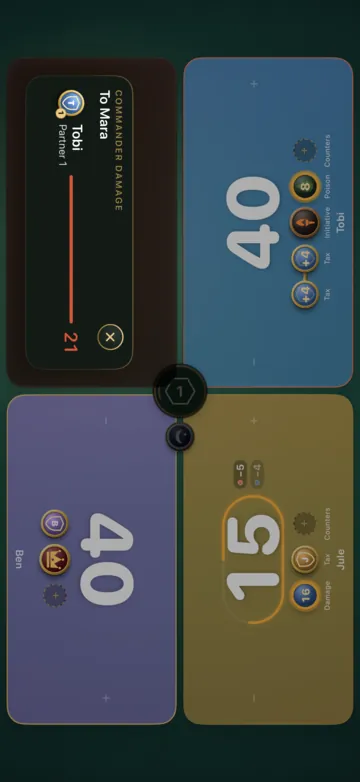

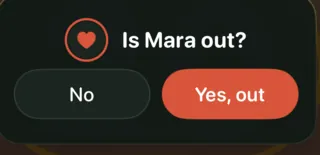
On iPhone Duo the table grows when you unfold it
Folded, the cover display holds a board with a rail of shortcuts along its edge. Unfold the phone and the board spreads across the inner display.
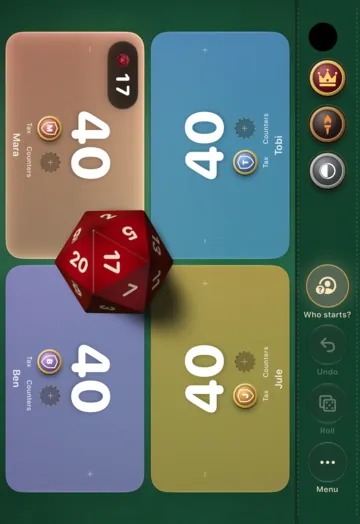
Cover display
On the cover display, a rail holds the shortcuts
The rail holds what the table shares: monarch, initiative, day and night up top, then pass the turn, undo, dice and the menu. Drag a token from the rail onto a player and back.
Inner display
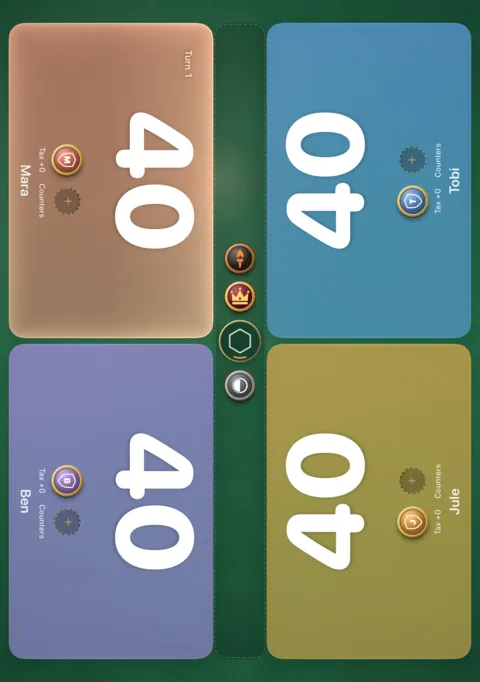
Unfolded, four or six players get room
Every seat still turns to its player, and each area is big enough for its commander's card art.
During a match the board keeps its orientation
The inner display turns with the table, upright or on its side. Once the match is under way it keeps its orientation until the game ends, so a bumped table never spins the board. One item in the table menu frees it.

Five tables to play on
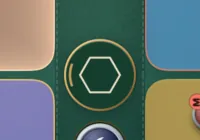
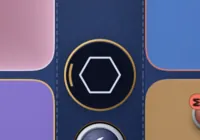
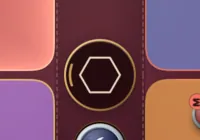
Classic green felt under a warm lamp, Midnight in navy and moonlight, Bordeaux in wine red, Slate in graphite, Walnut wood with a green felt inlay. Pick one in the table menu and the board, the menus and every panel take it on.
 Classic
 Midnight
 Bordeaux
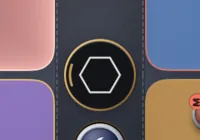 Slate
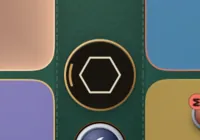 Walnut
Your commander's card art fills the seat
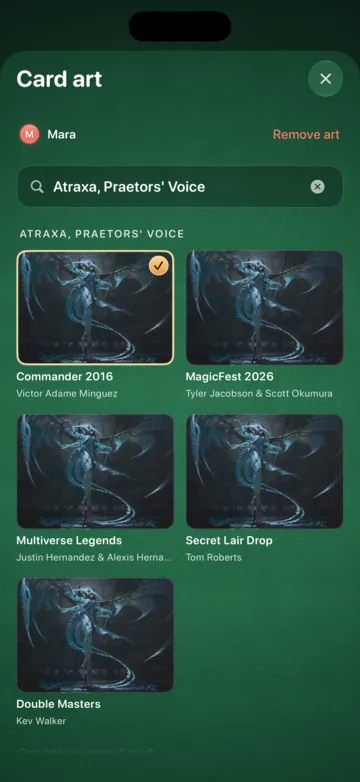
Search a commander and its card art fills the player's area. On iPad six of them fit around the table. The art comes from Scryfall, only when you search, and stays on your device. After a game, Share turns the match into an image for the group chat.
You can pick any printing, and the artist is named with it.

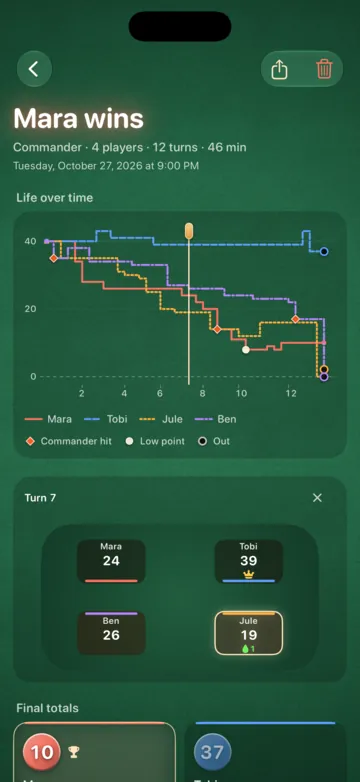
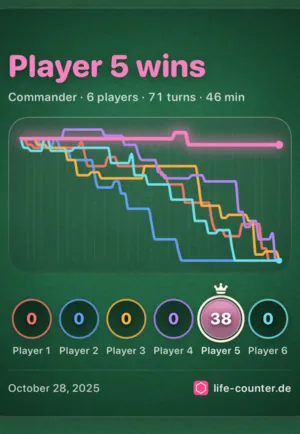
Play back any finished game
Finished games are saved on your device. Drag along the life chart and the table above it shows that moment again, down to the big commander hit and the winner's lowest point. Statistics by player and by deck count finished games only. The whole history exports as a file or as CSV.
Poison, monarch, initiative and more

Every counter
Poison, energy, experience, rad, speed, the Ring's temptation, storm and dungeon. Only the ones you switch on show up.

Tokens on the table
Monarch, initiative, day and night sit in the middle and go to whoever takes them.

Undo
Every change can be taken back, one step at a time.

Clock and rest
An optional match clock and a quiet light for a long turn. When nobody touches the table the board dims, and it stays awake until the game ends.

Accessibility
VoiceOver reads every player area. Increase Contrast, Reduce Motion and Differentiate Without Color are honoured.

Eight languages
English, German, Spanish, Dutch, Japanese, Korean and Chinese in simplified and traditional script.
Set up for your format
Pick the format when you start a game. Starting life, counters and the tokens on the table follow it.
Standard and every other format that starts at 20, and Brawl with 25 life for two players and 30 for more.
Magic rules, explained
Short answers to everything Life Counter keeps track of, each with its Comprehensive Rules number.
- Commander damageCR 903.10aA player who has taken 21 or more combat damage from the same commander over the course of a game loses.
- Commander taxCR 903.8Casting your commander from the command zone costs 2 more for each time you have already cast it from there this game.
- Poison countersCR 122.1fA player with ten or more poison counters loses the game. A Two-Headed Giant team loses at fifteen.
- The monarchCR 725.1The monarch draws an extra card at the beginning of their end step, and loses the crown to whoever deals combat damage to them.
- The initiativeCR 726.1Whoever has the initiative ventures into the Undercity when they take it and at each of their upkeeps, until combat damage takes it away.
- Day and nightCR 731.1Once it is day, it becomes night after a turn in which the active player cast no spells, and day again after a turn in which they cast two or more.
- The city's blessingCR 702.131aWith ascend, a player who controls ten or more permanents gets the city's blessing and keeps it for the rest of the game.
- SpeedCR 702.179bStart your engines! gives you speed 1; it rises by one at most once per turn when an opponent loses life during your turn, up to 4.
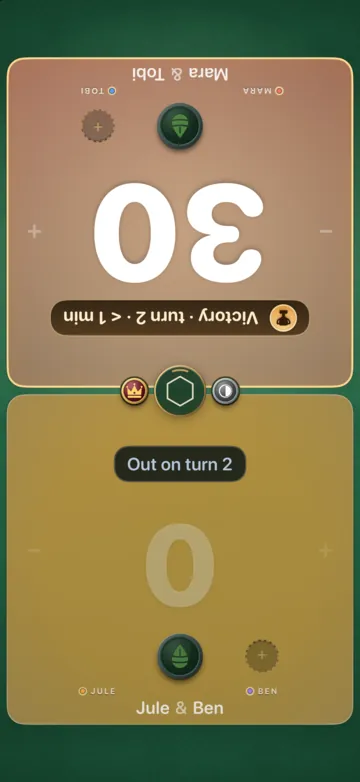
- Two-Headed GiantCR 810.3Two teams of two share one life total of 30, take their turns together and lose as a team at 0 life or 15 poison.
- Starting lifeCR 103.4Every player starts with 20 life. Commander starts at 40, Brawl at 25 with two players and 30 with more, and a Two-Headed Giant team shares 30.
- Who goes firstCR 103.1In a first or single game the players pick the starting player by any fair method, such as a die roll. In a match, the loser of the previous game chooses.
Coming from version 3? Your games come along.
Life Counter has been on the App Store since 2019, and 4.0 replaces the old app under the same name, so you update it as usual.
Everyone who used Life Counter before 4.0 is a Founder. If paid extras ever come, Founders get them free.
- Update Install the update on an iPhone or iPad with iOS 26.
- Open once On the first launch the app takes over your players, names, starting life and every match saved on this device. Nothing leaves the phone.
- Play Your old account is not needed any more. Games that only lived in the cloud start fresh.
Questions
Is this MTG life counter really free?
Yes. Version 4.0 has no ads, no account and nothing to buy. If paid extras come later, everyone who used the app before 4.0 gets them free as a Founder.
Does it work on iPhone, iPad and Android?
Version 4.0 runs on iPhone, iPhone Duo and iPad with iOS 26 or later. Older iPhones and Android keep version 3, which stays in the stores.
Does it track commander damage? Which formats are supported?
Yes, per commander, with partners counted apart, and at 21 the app asks whether the player is out. It plays Standard, Pioneer, Modern and other 20 life formats, Commander, Brawl and Two-Headed Giant, for one to six players.
How much life do you start with in Commander?
40. Standard and most other formats start at 20, Brawl at 25 for two players and 30 for more, Two-Headed Giant at 30 per team. Life Counter sets it when you pick the format.
Who goes first?
In a single game, or the first game of a match, any fair method decides, such as a die roll. After that the loser of the previous game chooses. Life Counter rolls for the first turn from the table menu, every seat with the same chance.
Do I need an account?
No. Everything stays on your device. The account of version 3 is not used by 4.0.
What happens to my matches from version 3?
Matches, players and settings saved on your iPhone are taken over on the first launch. History that only existed in the cloud is not imported.
Does it need an internet connection?
No. The only thing it fetches is card art from Scryfall, and only when you search for a commander. Everything else works offline.
Can I move my match history to another device?
Yes. Export your history as a file or as CSV from the history screen, under More, or from the settings. On the other device, import the file. A preview shows what is new before anything is added.

For your next game night
Life Counter is on the App Store for iPhone, iPhone Duo and iPad with iOS 26.